Active and inactive clients
This guide explains the difference between clients and bookings in Zooza, how the system determines whether a client is active or inactive, and how the active client count affects your Zooza service package.
Clients vs. bookings
Every person who registers through your booking form is stored as a client in Zooza. The client record contains personal data, notes, consents, and preferences.
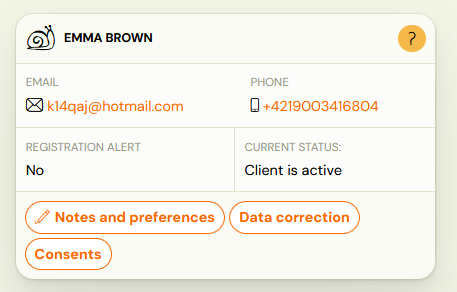
A booking is a separate record that links a client to a specific programme, class, and session schedule. One client can have multiple bookings — for example, attending two different programmes or enrolling multiple children.
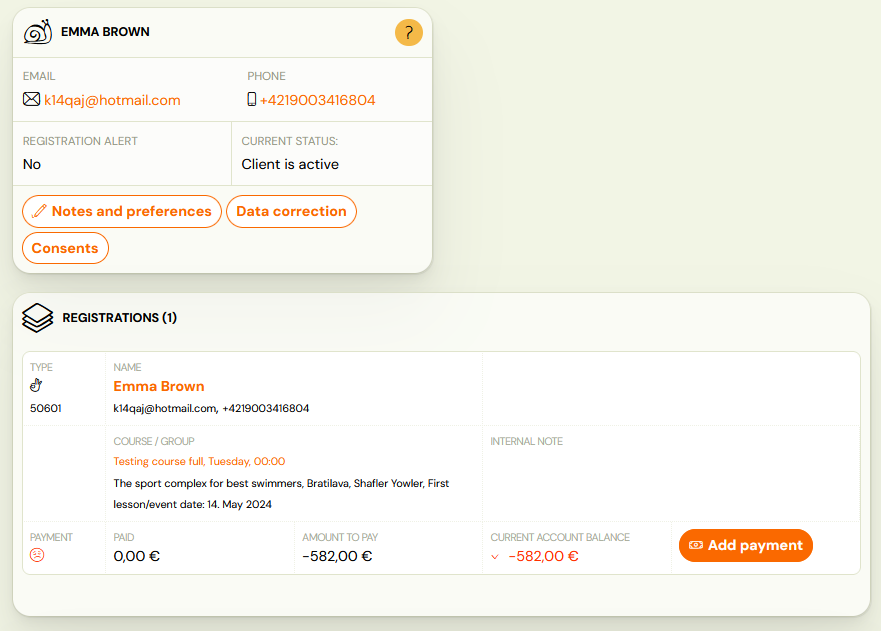
The client's active or inactive status is determined automatically based on their bookings and credits.
Active client
A client is considered active if any of the following conditions is true:
-
They have at least one booking in any of these states:
- Enrolled (registered)
- Trial not started
- Trial started
- Trial finished
...and the booking is in a class that has not ended yet (the class is ongoing or has not started).
-
They have at least one scheduled make-up session.
-
They have unused credit (remaining prepaid entries or sessions that have not been used yet).
Important: A client becomes active as soon as any of these conditions is met. Active status does not depend on the programme or timetable being active. If you create a programme for January and a client registers in December, that client counts as active from December — before the programme starts.
Inactive client
A client becomes inactive when all of the following are true:
- All their bookings are in Late, Waiting list, or Cancelled status.
- All credits on all their bookings have expired or are invalid.
- All their bookings are in classes that have ended.
- They have no booking for any active or future class.
Note: The system determines active/inactive status automatically. You cannot manually deactivate or delete a client to change their status.
Timing of status changes
- Activation is immediate — the client becomes active as soon as a qualifying event occurs (e.g., a new booking is created).
- Deactivation happens once a day at midnight. For example, if you delete a client's last active booking during the day, the client remains active until the next midnight run.
Impact on your Zooza service package
The number of active clients determines your Zooza service package tier. The key rules are:
- Capacity is calculated from all classes that are active (ongoing or future). This number tells you how many clients you can serve.
- If you exceed the limit of your current package, you are automatically upgraded to the next tier according to your confirmed pricing.
- The package calculation uses the highest number of active clients reached within the month — not the count at month-end.
- To downgrade to a lower package, you must request it in writing to thanks@zooza.online by the end of the month.
Important: Because the system tracks the peak active client count for the month, a temporary spike (e.g., from early registrations before a new term starts) can trigger an upgrade even if the count drops later in the month. Plan your registration timing accordingly.
For details on service packages and pricing, see Settings → Current product in your Zooza account, or visit Billing and Payments for Zooza.
Viewing active and inactive clients
On the dashboard
The home page (dashboard) shows a statistics overview including a graph and table of active and inactive client counts. Click the Zooza logo or go to the home page to see this.
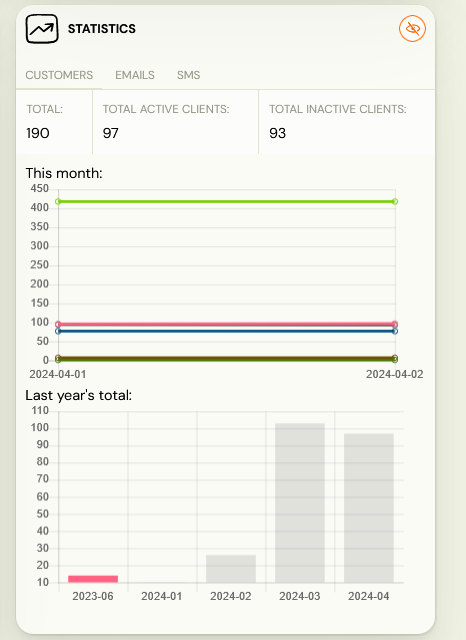
Tip: If you do not see some statistics in the report, enable them using the filter at the top of the report page.
In the clients list
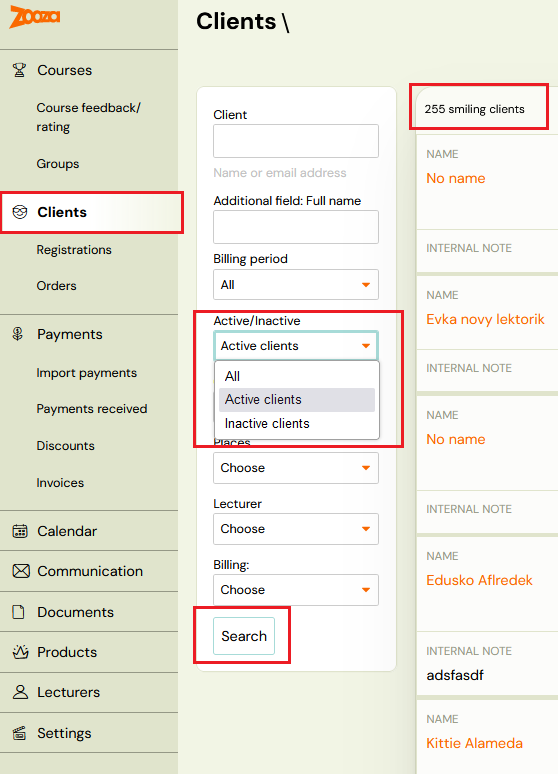
Go to Clients and use the Active/Inactive filter on the left side of the screen. The filtered count is displayed above the client list.
Related
- Clients — the clients list screen reference, including filters and client detail.
- Client Management FAQ — common client management questions.
- Billing and Payments for Zooza — managing your Zooza subscription and invoices.
- Types of bookings — booking states and their meaning.