Types of bookings
Booking options
Normal booking
If the class has not yet started, each booking will proceed in standard mode. Thus, after booking, the client’s payment is expected and the client is automatically subscribed to the class of his choice.
Waiting list
If the capacity of the class is full, the bookings will be switched to the waiting list mode. Such clients receive a different notification email and are not expected to pay for the programme. On the contrary, clients expect you to reach out to them and offer them a different class, or directly create a new class and move them into it.
Late booking
Once a class starts, regardless of whether it is full or not, all bookings are automatically classified as late. Similar to a waiting list, you will be expected to communicate with the client and negotiate payment terms and their joining an already established class or other suitable solution.
Trial
The Trial Session status is visible on the booking only during the period when the client is logged in for a trial session. Detailed information on setting up trial sessions at the programme level can be found here.
Booking status
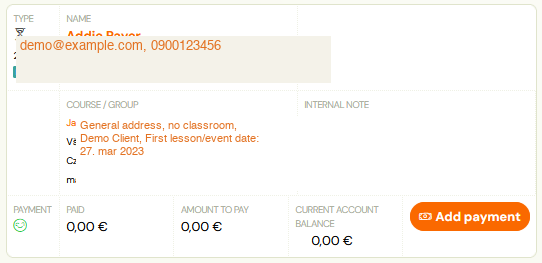
Each booking contains an icon that shows what type it is.
 Attention! The booking creation status is always the last record, previous records/changes are overwritten.
Manually
The booking was created manually by the administrator directly in the application.
By Client
The booking was created by the client himself via the booking form on the organizer's website.
Copied
The application administrator used the copy booking function and thus the client booking was copied to the next programme.
Moved
The application used the move booking function and thus the client's booking was moved to another programme/class.
Payment
Each booking, in addition to its main status (Registered, Waitlisted, Late Booking), also has a billing status.
Unpaid
Typically this is a new booking that has not yet been paid. Payment status does not affect whether or not a client can attend a programme. It’s purely up to you and your setup whether you want to have the money upfront before the programme starts, or if you’re also comfortable collecting money from clients on an ongoing basis.
Partially reimbursed
Booking whose debt has not been settled in full. Typically, this may be the case where you and the client have agreed on two or three instalments of the full amount of the programme.
Paid
The best condition. The client paid everything.
Overpaid
This also happens. If the client sends more money than needed, the system will automatically highlight this and notify the client as well.