Publish (Widgets)
The Publish screen manages widgets — embeddable components that let you display Zooza booking forms, calendars, profiles, and more on your website. Use it to create widgets, configure embed codes, and customize each widget type.
Navigation: Go to Team & Settings → Publish.
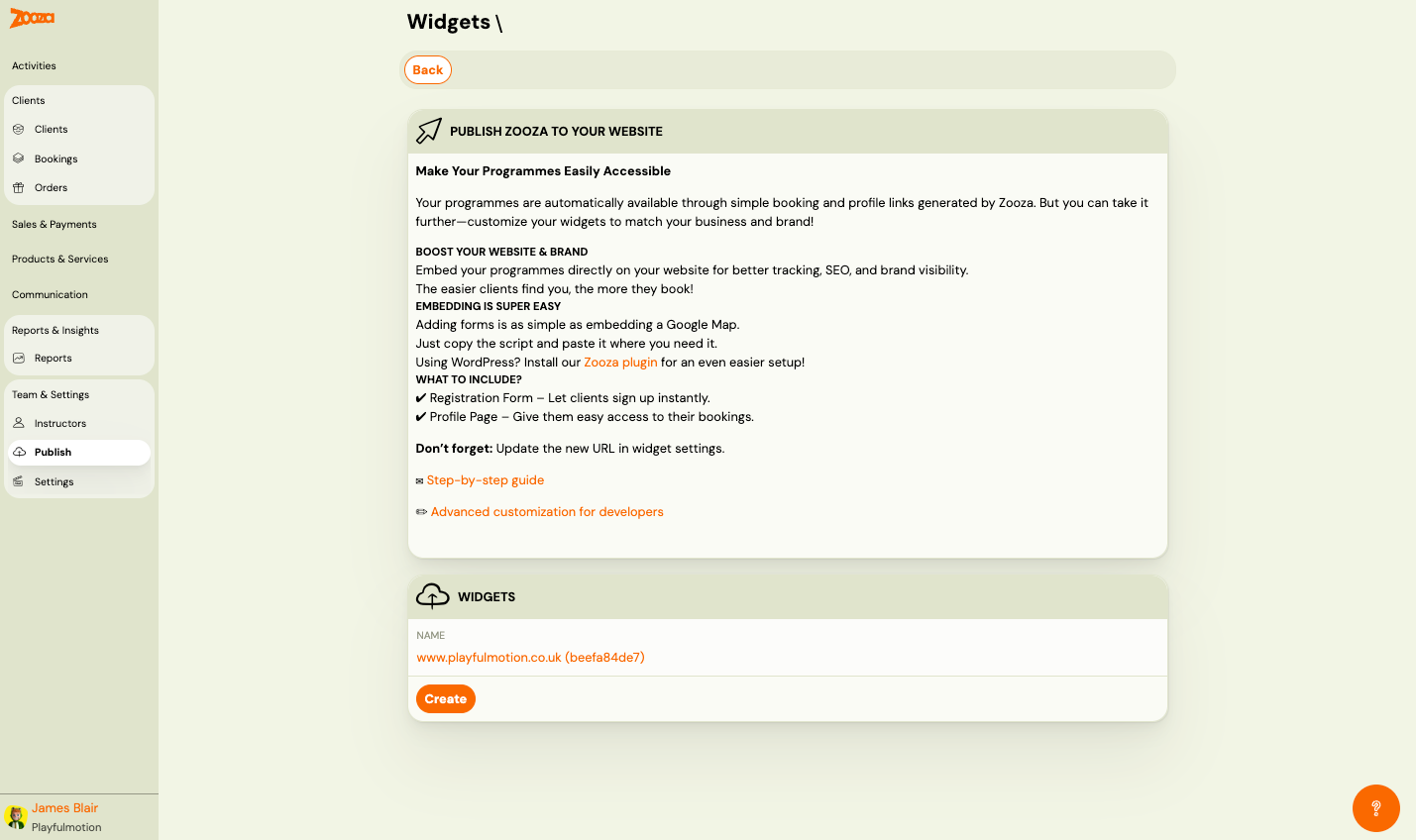
Publish Zooza to Your Website
Introductory guidance:
- Your programmes are automatically available through booking and profile links generated by Zooza.
- Embed programmes directly on your website for better tracking, SEO, and brand visibility.
- Adding forms is as simple as embedding a Google Map — copy the script and paste it.
- Using WordPress? Install the Zooza plugin for easier setup.
Links: Step-by-step guide and Advanced customization for developers.
Widgets
Lists all created widgets. Each shows:
| Field | Description |
|---|---|
Name | Widget name with ID (e.g. "www.playfulmotion.co.uk (beefa84de7)"). Clickable link to detail. |
Button: Create — create a new widget.
Widget Detail
Navigation: Publish → click a widget name.
Integration Type
| Option | Description |
|---|---|
| Wix | Use the Zooza app for Wix. |
| Wordpress | Use the Zooza WordPress plugin. |
| Embed | Manual embed using a script tag. |
Wix Integration
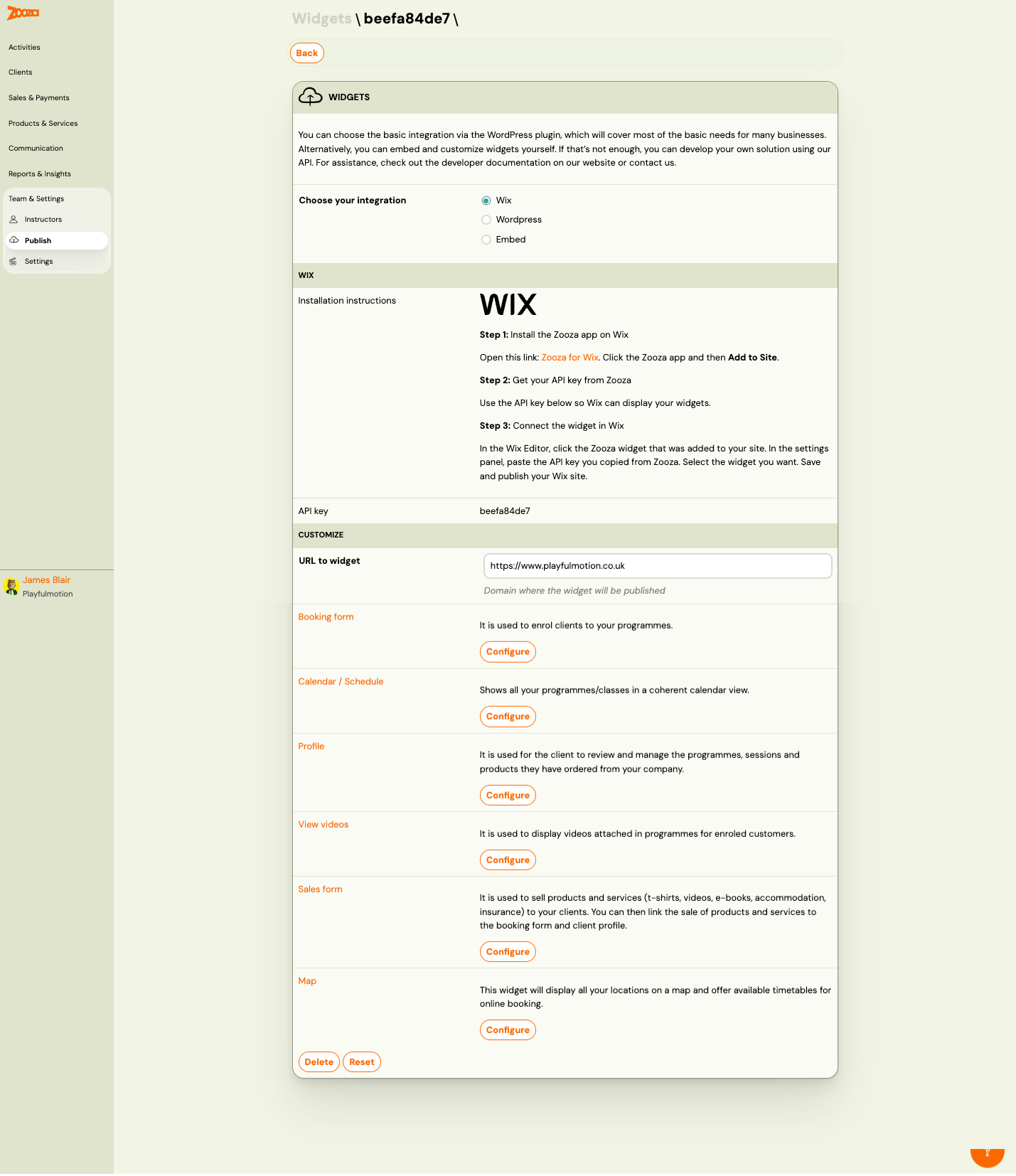
Installation steps:
- Install the Zooza app on Wix (link provided).
- Get your API key from Zooza.
- Connect the widget in Wix — paste the API key in the Wix Editor settings panel.
| Field | Description |
|---|---|
API key | Your widget's unique API key. |
Embed Integration
For the Embed option, the detail shows:
Embed Code
Tabs for each widget type: Booking Form, Calendar / Schedule, Profile, View Videos, Sales Form, Map.
Each tab displays the embed script code with a Copy button.
| Field | Description |
|---|---|
Deployment URL of the widget | The URL where the widget is deployed. |
Installation instructions | How to place the embed code on your website. |
| Customize embed code | Open advanced embed customization. |
Choose programmes | Select which programmes to include. Shows count of selected programmes. |
Show filter by programme | Check Yes to let visitors filter by programme name. |
View filtering by location | Check Yes to let visitors filter by location. |
Customize Section
| Field | Description |
|---|---|
URL to widget | Domain where the widget will be published. |
Available widget types:
| Widget | Description |
|---|---|
| Booking form | Used to enrol clients to your programmes. |
| Calendar / Schedule | Shows all programmes/classes in a coherent calendar view. |
| Profile | Used for clients to review and manage their programmes, sessions, and products. |
| View videos | Displays videos attached in programmes for enrolled clients. |
| Sales form | Used to sell products and services (t-shirts, videos, e-books, accommodation, insurance) to clients. Can be linked to the booking form and client profile. |
| Map | Displays all locations on a map and offers available timetables for online booking. |
Each widget type has a Configure button to open its settings.
Actions
| Button | Description |
|---|---|
| Delete | Delete this widget. |
| Reset | Reset widget settings to defaults. |
Related
- Deploying Zooza on Website — step-by-step embedding guide.
- Customizing widgets — step-by-step customizing HTML and view settings.