How clients view and download their consent history
Clients can view a full record of every consent they have given to your company — and download it as a PDF. This is useful when a client asks what data they consented to share, or when you need to confirm that consents are on file.
Where clients find their consents
Clients access their consent history through their Client Profile (the client-facing area of Zooza).
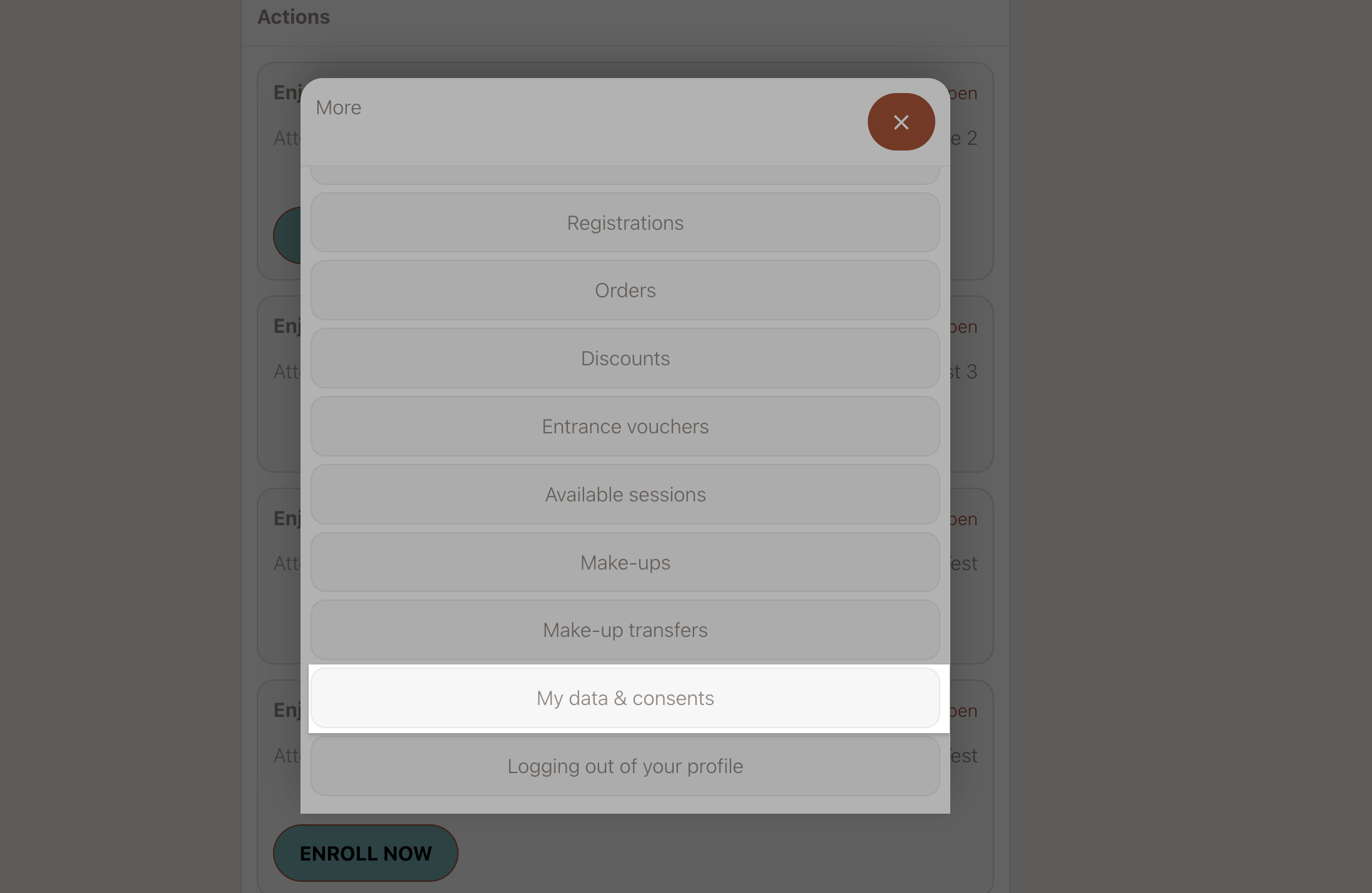
In the Client Profile, navigate to the My data & consents section.
What the consent overview shows
The consent history lists every agreement that applies to the client, in three categories:
| Category | What it includes |
|---|---|
| Platform consents | Zooza-level agreements (terms of service, privacy policy) |
| Company consents | Agreements set by your business (your own terms, data processing consent) |
| Course consents | Programme-specific agreements the client accepted when booking |
For each agreement, the client can see:
- Whether they accepted or declined it
- The version of the agreement they saw at the time
Downloading a PDF
Clients can download a single PDF that summarises all their consents. The PDF is generated on demand — it is not stored in advance. It is self-contained: it includes the full text of each agreement alongside the client's response.
There is no action required from you as admin to enable this — it is available to all clients automatically.
What to tell clients who ask for their consent record
If a client asks for a copy of their consent history:
-
Ask them to log in to their Client Profile.
-
Go to My data & consents.
-
Click Download PDF.
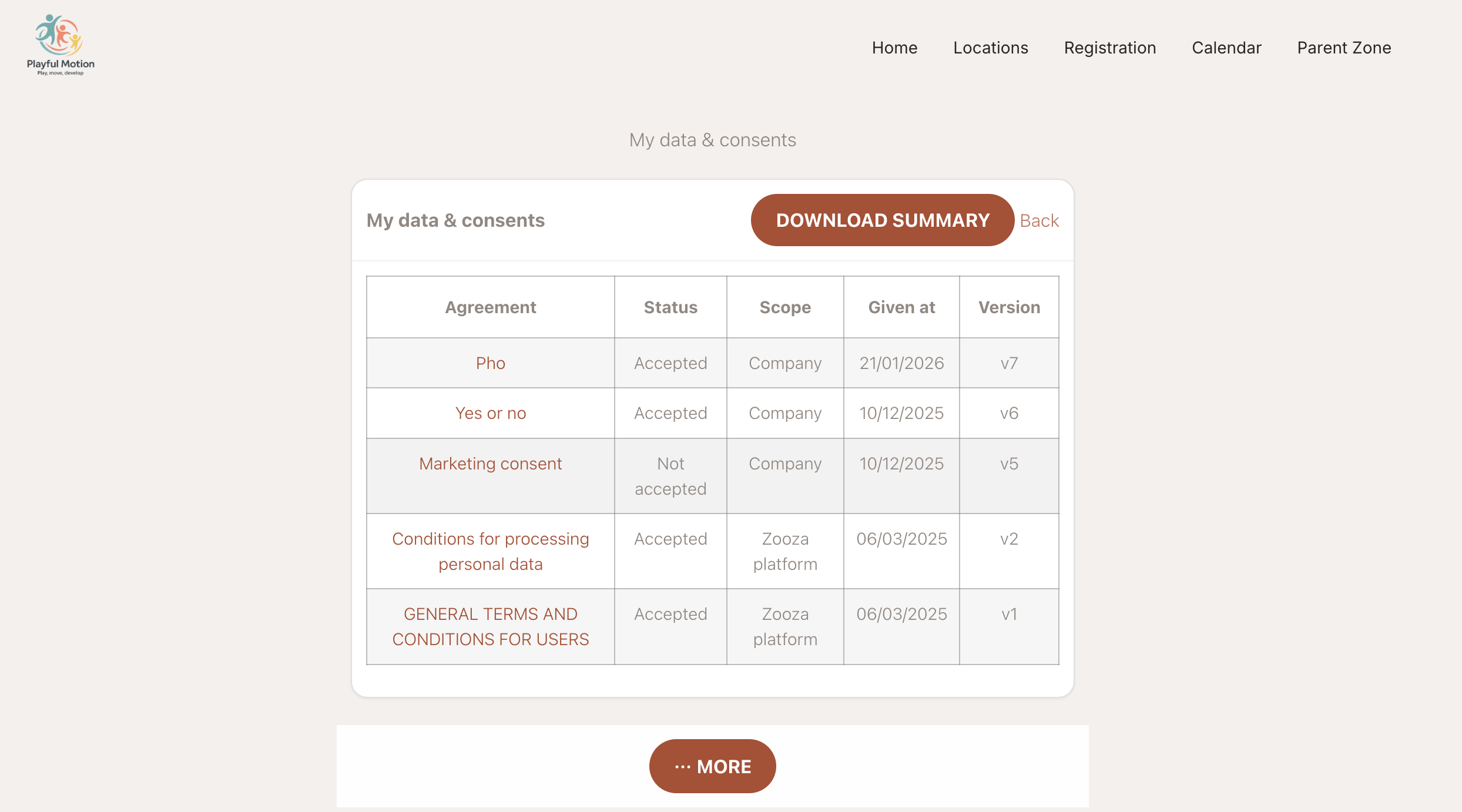
The PDF is generated immediately and saved to their device.