Business booking
If your clients are not individuals, but companies, you can also allow them to create company bookings. But this option needs to be enabled first.
It is turned on or off at the programme level, more precisely in the Extra Fields section.
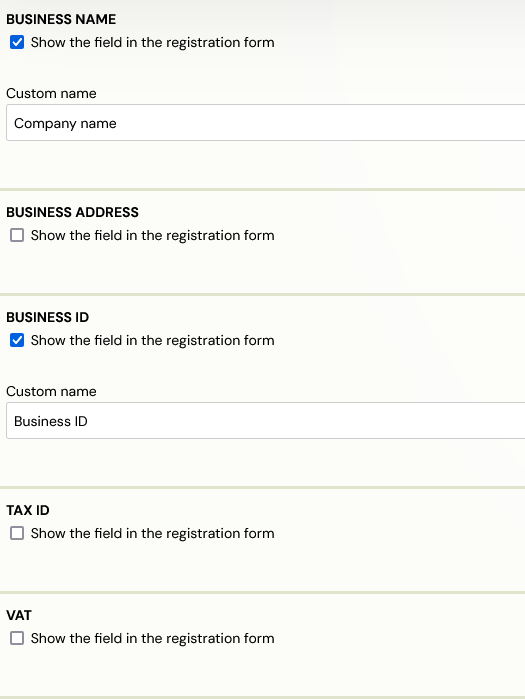
For corporate orders, you must enable at least one of the following fields:
- Company - Company name
- Company address - Business address
- Business ID
- TAX ID
- VAT
If one or more fields are active, the booking form will add the option to enrol per company. Once clicked, the selected extra fields are displayed in a booking form and the client can fill them in. Only the Business name and Business ID fields are required.
As with the other extra fields, you must enter a custom name.
Any booking that contains at least one of these fields filled in is flagged in the system as "Business Booking".

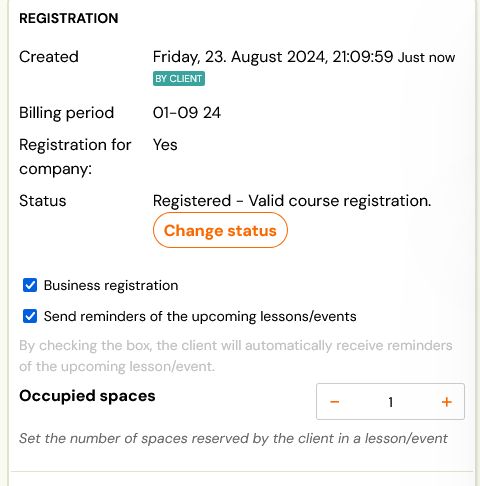
If you have invoice generation enabled, the resulting invoice will have the company details as the billing details and not the client details.